restylai blog
The Best AI Interior Design Tools in 2026 (Free and Paid)
Updated July 17, 2026 · by the restylai team
Short answer: there is no single winner, because "best" depends on what you are trying to do. If you just want to see your own room in a new style, start with a try-first all-in-one that redesigns a real photo before you sign up, keeps the actual walls and layout, and lets you go further into staging, renovation previews and video later. That is where restylai fits. Below we group the field by what people actually need.
First, decide what you are actually doing
People search for "the best AI interior design tool" wanting very different things. A renter picturing a new sofa layout has almost nothing in common with someone furnishing an empty room or an architect running material studies. So instead of ranking brand names, sort the options by the job:
- See my own room in a new style. One photo in, a redesign out, with the room intact.
- Fill an empty space with furniture. Virtual staging of a bare room.
- Architectural and renovation work. Materials, structure, precise control.
- Quick fun on a phone. A casual app for moodboarding on the couch.
Try-first redesign: your own room, before you pay
This is what most searchers actually want, and it is the category RoomGPT and InteriorAI made popular. You upload a photo and get it back redesigned from that photo. The two things that separate a good one from a frustrating one are whether it shows you a result before asking for a signup, and whether it respects your real architecture instead of inventing a new room. restylai is built around both: your first design is free with no account, and the walls, windows and proportions in your photo stay exactly where they are.
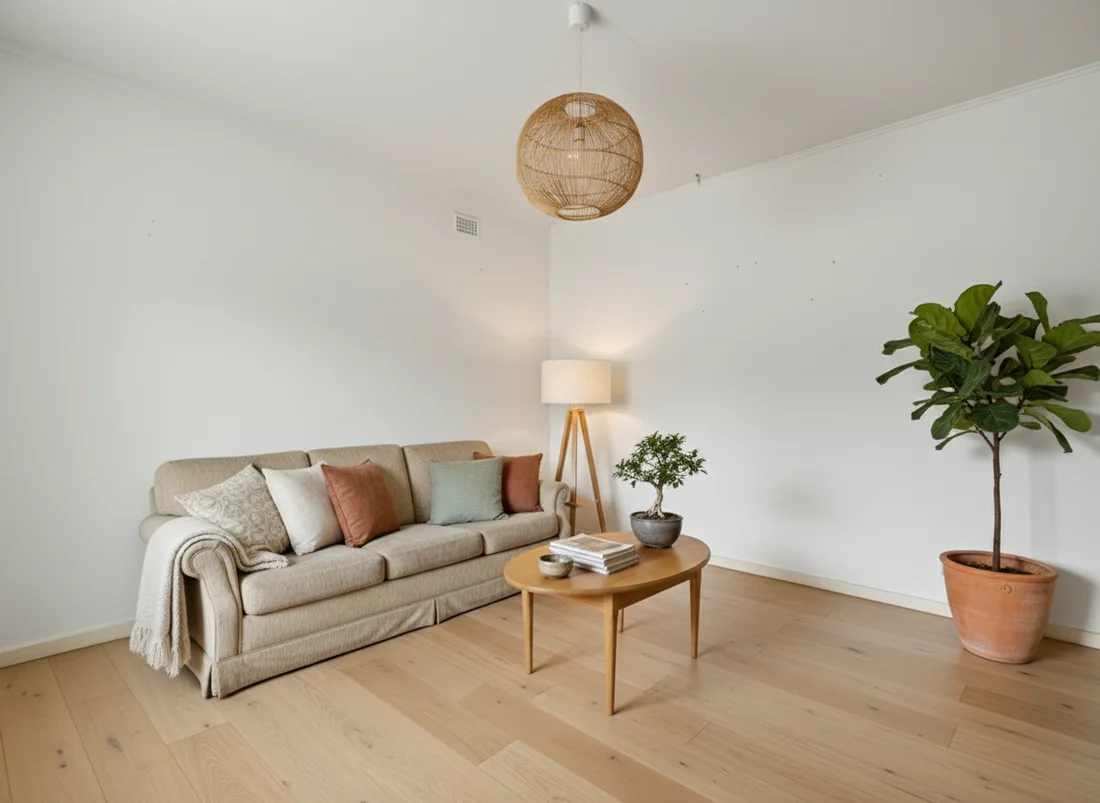
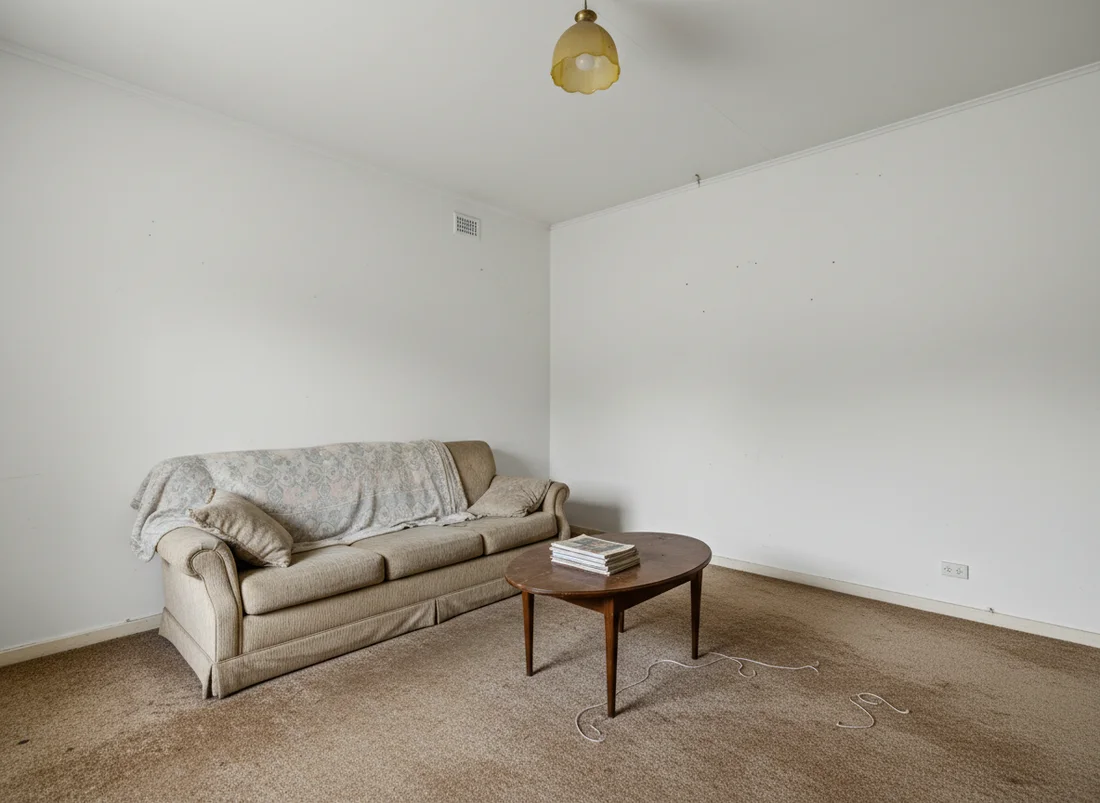 Before
After
Before
After
It also does not stop at one look. There are 24 designer styles plus a "describe your own style" box, and the same photo can be decluttered, restyled, or renovated. Clean HD and 4K downloads start at $5 a month, and cinematic video walkthroughs are included from the $29 plan. If you are comparing it to the tool that started the trend, we wrote a fuller RoomGPT alternative breakdown.
Virtual staging for an empty room
If your space is bare, you want furniture placed convincingly, not a restyle of what is already there. Dedicated staging services and tools like ReimagineHome lean into this, and there are real reasons to use one: some offer human review or bulk workflows. The tradeoff is cost and turnaround. Traditional physical staging runs into the thousands, which is why we compared it against the software route in our virtual staging cost guide. restylai handles virtual staging too, so an empty room becomes a furnished one from the same upload.
Pro and architectural workflows
Architects and serious renovators sometimes need more than a pretty render: precise material libraries, CAD tie-ins, or repeatable client output. Specialist and studio-grade tools exist for exactly this, and if your day job depends on that control, they earn their price. For a homeowner previewing a remodel, that is usually overkill. A renovation preview, a furniture removal pass, or a quick floor plan to 3D view covers most real-world remodeling questions without a learning curve.
Casual mobile apps
Some tools are built for browsing on a phone: swipe through looks, save a moodboard, share it. They are genuinely fun and great for early inspiration. The limit is depth. Many are style-preset only, and the render often drifts from your real room. Treat them as an idea board, then take the look you like into a tool that redesigns your actual photo faithfully. Our ideas hub and style guides like Scandinavian and Japandi are a good place to find a direction first.
So which should you pick?
If you are a professional with a specific pipeline, use the specialist tool that fits it. If you only need to stage empty listings at volume, a staging-first service may suit you. But for most people, the ones just curious what their own living room could look like, a try-first all-in-one wins because it answers the real question in one photo and one minute, then grows with you if you want HD, staging, renovation or video. When a designer's time can cost thousands, seeing a credible version of your own space for free first is a fair way to start.
Try the comparison yourself
The only test that matters is your own photo. Take one shot of the room you care about, run it through restylai free, and check the redesign against the real space. If the walls and layout match and the style lands, you have your answer in about two minutes.
Frequently asked questions
Is there a genuinely free AI interior design tool? +
Yes. A few tools let you redesign a real photo of your space for free, usually with a watermark on the result. restylai gives you your first design free with no signup, and paid plans (from $5 a month) unlock clean HD and 4K downloads. Free is the honest way to test whether a tool keeps your actual walls and layout before you pay.
What is the best AI interior design tool for beginners? +
For most people who just want to see their own room in a new style, a try-first all-in-one is the easiest place to start, because you upload one photo and get a redesign in seconds without learning software. Pick a tool that shows you a result before asking for a signup or a card. That way you judge the quality on your own space, not on a demo room.
Do these tools keep the real room, or invent a new one? +
The good ones keep your actual walls, windows, proportions and layout and only change the finishes and furnishings. That is the whole point of designing from a photo. Some cheaper generators drift and invent a different room, so test one of your own photos and check that the architecture matches before you trust it.
What can AI interior design tools actually do in 2026? +
Beyond a straight restyle, current tools can stage an empty room with furniture, declutter a busy one, swap materials like flooring and cabinets, preview a renovation, turn a floor plan into a 3D view, and even render a short video walkthrough. Not every tool does all of these. restylai covers 24 designer styles plus a describe-your-own option, staging, decluttering, material swaps, renovation previews, floor-plan-to-3D and video.
See your own room redesigned, free
Upload one photo and watch your room in any of 24 designer styles. Your walls and layout stay exactly as they are.
Try it free, no signupOne photo. About ten seconds. Your room, your layout.