restylai
AI interior design, on your real space
See your own room in 24 designer styles from one photo. Restyle it, stage it, change the floors or walls, all on your actual space, not a generic mockup.
One photo. About ten seconds. Your walls and layout stay put.
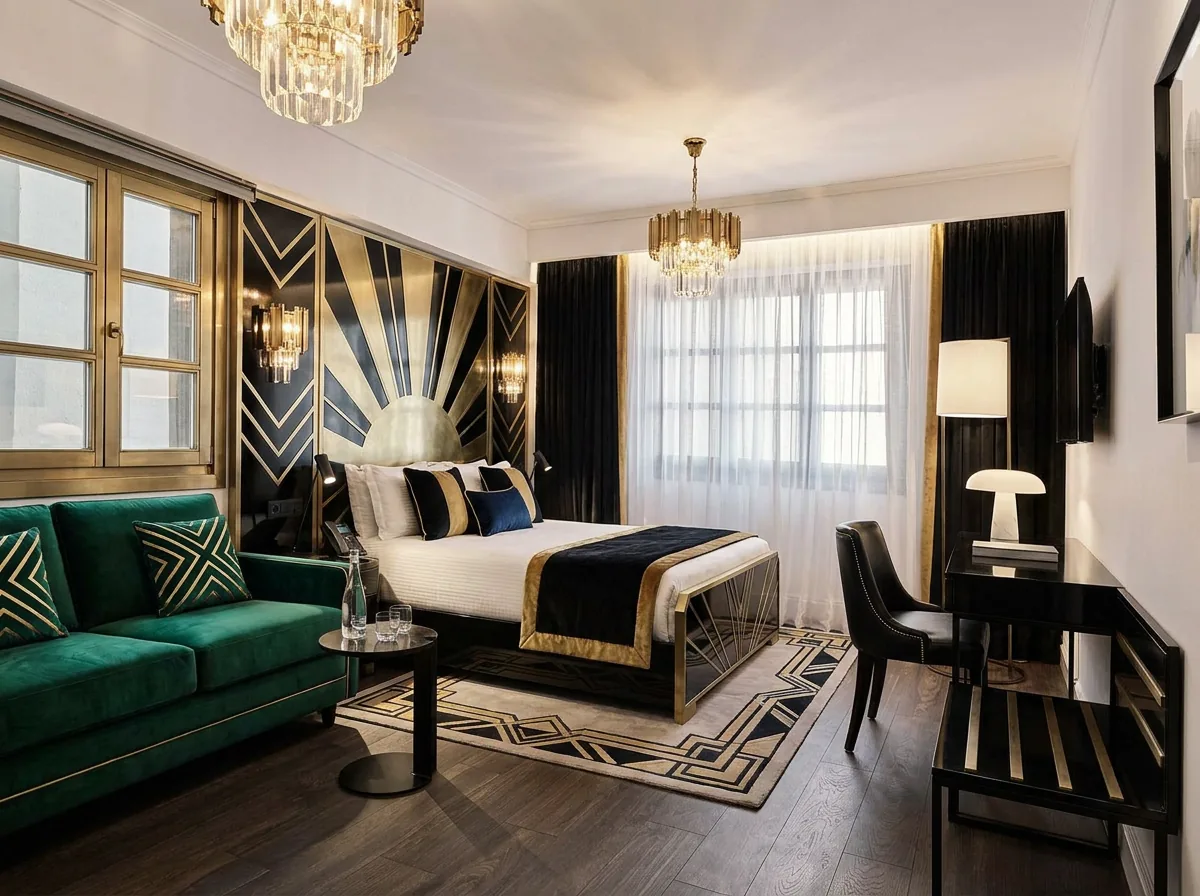
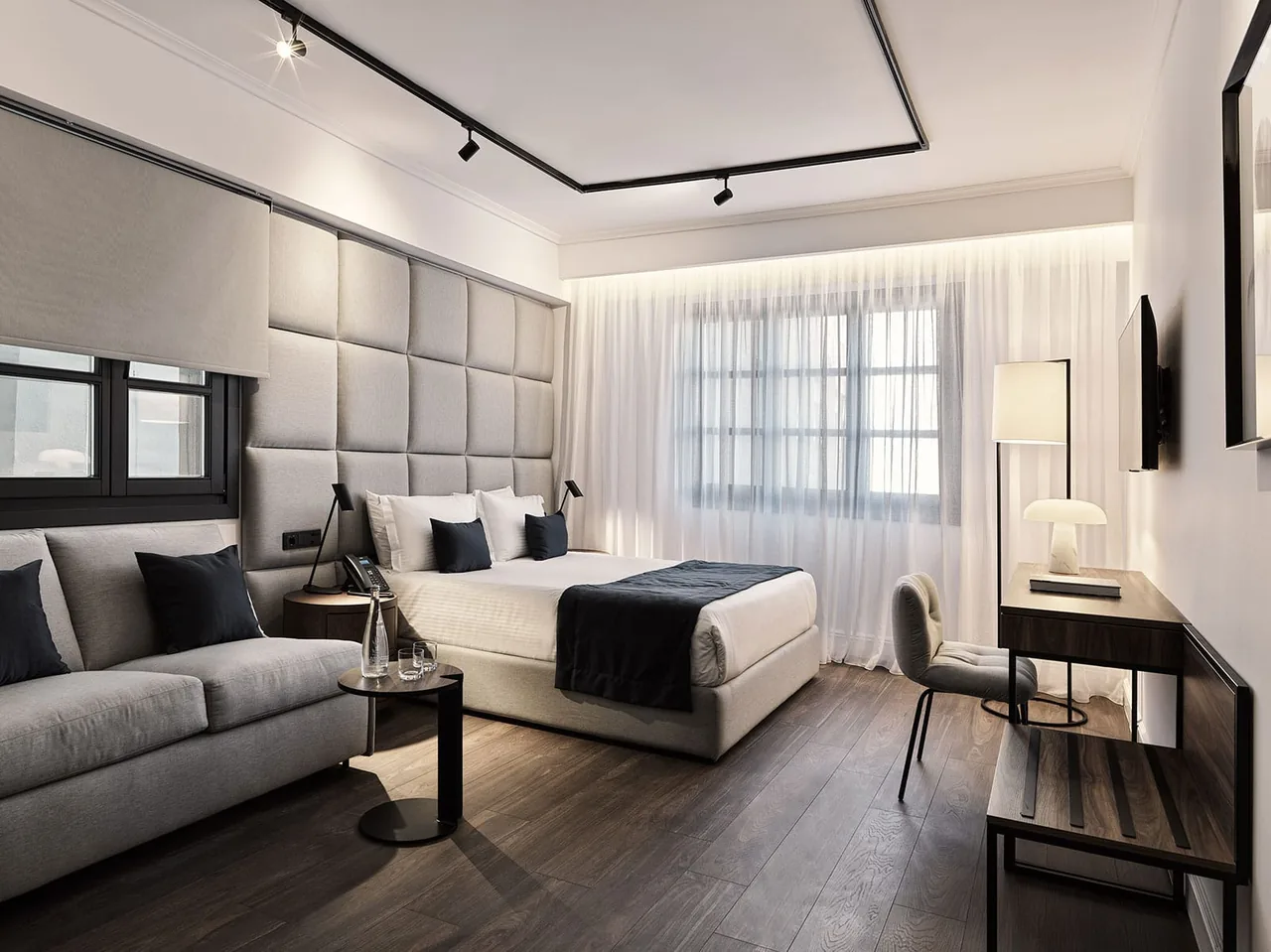 Before
restylai
Before
restylai
How it works
Upload one photo
Snap a wide shot of the space on your phone, exactly as it looks today. No cleanup, staging or special angle needed.
Choose a style or describe your own
Pick from 24 designer styles, from Scandinavian to mid-century to industrial, or type the look you want in your own words and let the AI interpret it.
Get your redesigned space
In about ten seconds you get your room in the new style, with the same walls, windows and layout intact. Download it, or keep restyling the same photo.
It redesigns your room, not a lookalike
The reason most AI design tools feel hollow is that they hand you a beautiful room that has nothing to do with the one you live in. restylai locks the structure of your photo. The bay window stays where it is, the ceiling height is the same, the awkward corner by the door is still there, and the new furniture and finishes are placed into that real geometry rather than a clean rectangle the software invented.
That structure lock is what makes the result worth acting on. When the sofa sits against the wall it is actually against, and the light falls the way it does in your photo, you can trust that a paint color, a floor or a layout will work before you spend a cent on it. You are looking at your own space with a decision already made for you to accept or reject, which is different from browsing inspiration and hoping.
Faster and cheaper than the usual route
The traditional path is to hire a designer, wait for mood boards, and pay by the hour before you see a single version of your own room. That is worth it for a full renovation, and you can read up on what an interior designer costs if you are weighing it. For trying ideas, though, it is slow and expensive for something you may throw out after one look.
restylai closes that loop to about ten seconds a version, and the first design is free with no signup. You can run the same room through a dozen styles, empty it and refurnish it with virtual staging, swap the flooring, or preview a renovation, all before committing to anything real. When you want the clean high-resolution download or a video walkthrough, paid plans start at five dollars a month.
Who it is for
If you have ever stood in a room knowing it could be better but not what better looks like, this is for you. A first-time buyer trying to picture an empty flat furnished, someone stuck between two paint colors, a renter who cannot knock down walls but can reimagine the ones they have, all of them get the same thing: their real space, shown a new way, in seconds.
It also helps when the room is hard to read on its own. Empty rooms look small and cold, cluttered rooms hide their bones, and dated finishes drag down everything around them. Seeing your space cleaned up, furnished or refinished makes the next move obvious. You can start from AI room design for a single room, or browse room design ideas by style to find a direction first.
Frequently asked questions
What is AI interior design? +
AI interior design uses software to redesign a space from a photo, restyling the furniture, colors and finishes while keeping the room itself. With restylai you upload one picture of your actual space and get it back in a new style in about ten seconds, rather than working from a generic template.
Does it keep my real room or just make a new one? +
It keeps your real room. restylai locks the walls, windows, ceiling height and proportions of your photo and changes only the design on top of them, so the result is your space in a new style. You can read more about <a href="/blog/ai-room-design-from-photo">how AI room design from a photo works</a>.
Is it free to try? +
Yes. Your first design is free and needs no signup, and it arrives as a watermarked preview. Paid plans start at five dollars a month for clean HD and 4K downloads, with video walkthroughs included from the twenty-nine dollar plan.
What can it do besides restyling? +
Alongside 24 designer styles and a describe-your-own-style option, restylai can stage an empty room with furniture, declutter a busy one, swap materials like flooring or wall finishes, preview a renovation, turn a floor plan into 3D, and generate a cinematic video walkthrough of the space.
See it on your own room, free
Upload one photo and see the result on your real space. No signup for the first design.
Try it free