restylai blog
The Best RoomGPT Alternatives in 2026 (Free and Paid)
Updated July 10, 2026 · by the restylai team
Short answer: RoomGPT deserves credit for making AI room design famous in 2023, but the product has barely moved since, and its reviews increasingly say the same things: fixed styles only, custom wishes ignored, confusing limits. If you want what RoomGPT promised, in 2026 you have better options, including one that shows you your own room redesigned before you sign up for anything.
Why people look for a RoomGPT alternative
RoomGPT's pitch was perfect: upload a photo of your room, get it back redesigned. Millions tried it. But the common frustrations in user reviews cluster around a few points:
- One free render, behind a login. You sign up first and get a single try, which makes comparing styles on your own room hard.
- Fixed styles, no obedience. Reviews frequently mention that custom instructions are ignored and only the preset looks apply.
- Confusing limits. Weekly caps that arrive sooner than expected are the most repeated complaint on review platforms.
- A product frozen in time. The category moved on to virtual staging, furniture removal, floor plans and video. RoomGPT still does the 2023 thing.
What to look for in 2026
Judge any AI room design tool on four questions:
- Does it keep your room YOUR room? Walls, windows, doors and proportions should stay exactly where they are. If the output is a beautiful room that is not yours, it answers nothing.
- Can you try it on your own photo before paying? Sample galleries prove nothing about your awkward corner bedroom.
- Is it photorealistic? Dreamy, painterly output is fine for inspiration boards, useless for decisions and listings.
- Does it cover your actual job? Restyling is one job. Staging an empty room, emptying a cluttered one, bringing a floor plan alive and producing a video walkthrough are different jobs, and in 2026 one tool can do all of them.
restylai: the try-first alternative
restylai is built around the two things RoomGPT users complain about most: it shows you your own room transformed before you commit, and it obeys. Upload a photo on the homepage, no signup, and the AI tells you what it sees, picks the right mode, and renders your room in any of its styles, or in a style you describe in your own words, in about ten seconds. Then it keeps obeying: tell it what to change and exactly that changes on the design you are looking at, everything else kept.
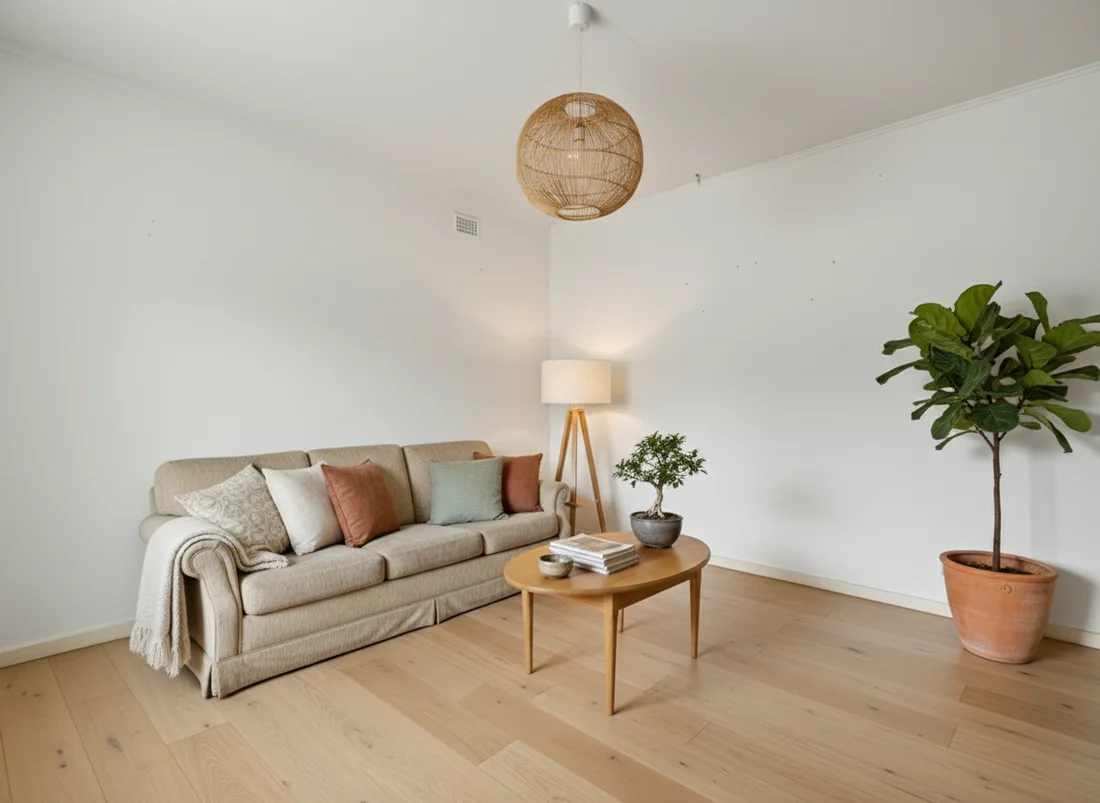
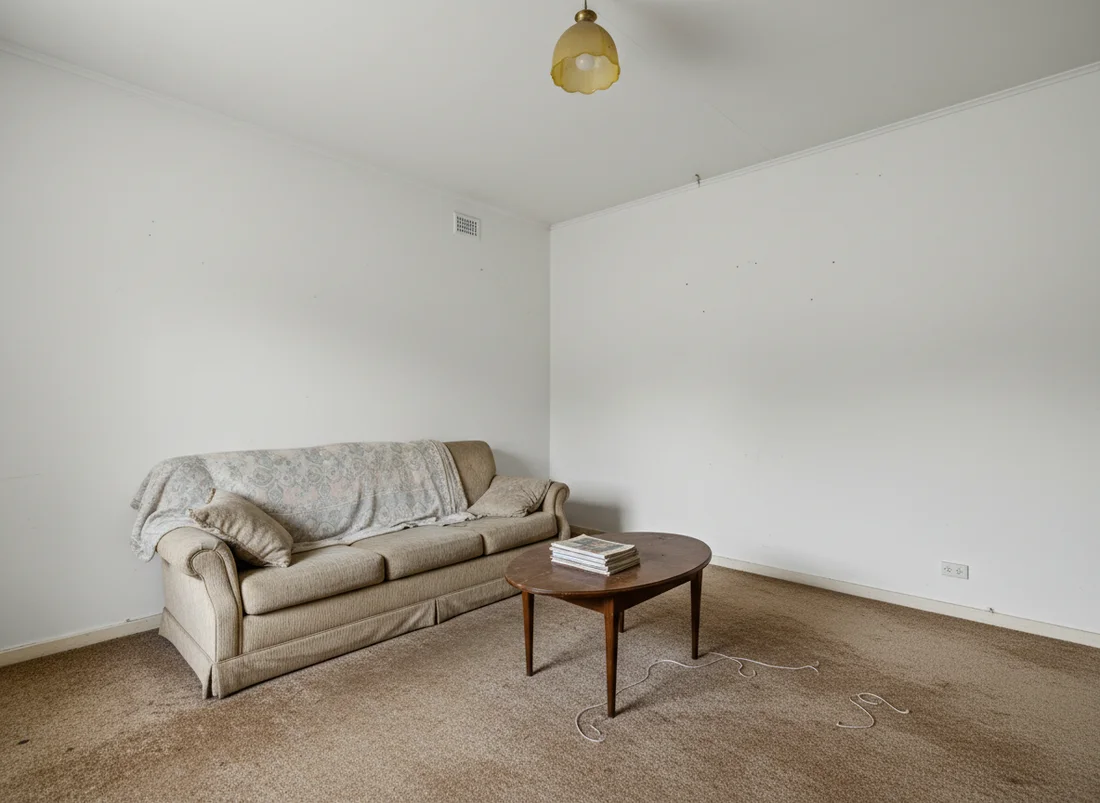 Before
After
Before
After
- Free, before any signup: your own room, any style or your own words, a watermarked render to judge on the spot.
- Structure locked: walls, windows and layout are preserved by explicit instruction, so the result is recognizably your room.
- The whole job, one upload: restyle (curated or described), change anything by instruction, virtual staging, decluttering, material swaps, renovation previews, placing a real furniture piece, matching a style from a photo, floor plans to 3D, exteriors, golden hour relights, and cinematic video walkthroughs of the finished design.
- Honest pricing: plans from $5 a month with a 30-day money-back guarantee, clean HD and 4K downloads, commercial use included on every paid plan.
Other alternatives worth knowing
Depending on your job, other tools are legitimate picks. Judged on their public materials in 2026:
- For pro architecture workflows: tools aimed at designers render from sketches and 3D models and integrate with SketchUp. Overkill for redesigning your bedroom, right for client work.
- For realtor photo pipelines: staging-only services focus on listing photo editing at per-photo prices, some with human review. Slower and pricier per image, sometimes preferred by brokerages with fixed processes.
- For casual play: free mobile apps redecorate photos with fun, loose results. Good entertainment, not for decisions.
The pattern across all of them: you pay either with money per photo, with your email before seeing anything, or with quality. The reason we built restylai's funnel the way we did is that we think the render itself should be the pitch.
Try the comparison yourself
The honest test takes two minutes: take one photo of the room you care about and run it through restylai free. If the result does not make you want to see it in HD, no account was created and nothing was lost. That is the standard we think every tool in this category should meet.
To go deeper on specific jobs: what virtual staging costs, removing furniture from photos, and turning floor plans into 3D renders.
Frequently asked questions
Is RoomGPT still good in 2026? +
RoomGPT was a pioneer in 2023 and still works for basic restyles, but development has visibly slowed: reviews commonly mention fixed styles only, custom prompts being ignored, and confusing usage limits. Newer tools produce sharper, more faithful renders and cover more jobs than restyling alone.
What is the best free RoomGPT alternative? +
restylai lets you upload a photo and see your actual room redesigned in any of its styles for free, directly on the homepage with no signup, which no other major tool currently offers. Watermark-free downloads start at $5 a month.
What should I look for in an AI room design tool? +
Four things: does it keep your walls, windows and layout intact; does it look photorealistic rather than dreamy; can you try it on your own room before paying; and does it cover the jobs you actually have, like virtual staging, furniture removal, floor plans and video walkthroughs.
Can these tools do more than restyle a room? +
The current generation goes well beyond restyling. restylai, for example, also stages empty rooms, empties cluttered rooms, turns 2D floor plans into furnished 3D renders, and generates short cinematic video walkthroughs of the redesigned space.
See your own room redesigned, free
Upload one photo and watch your room in any of 24 designer styles. Your walls and layout stay exactly as they are.
Try it free, no signupOne photo. About ten seconds. Your room, your layout.