restylai
AI room design, from your own photo
Upload one photo and see your real room redesigned in any style, in seconds. Your walls, windows and layout stay exactly as they are.
One photo. About ten seconds. Your walls and layout stay put.
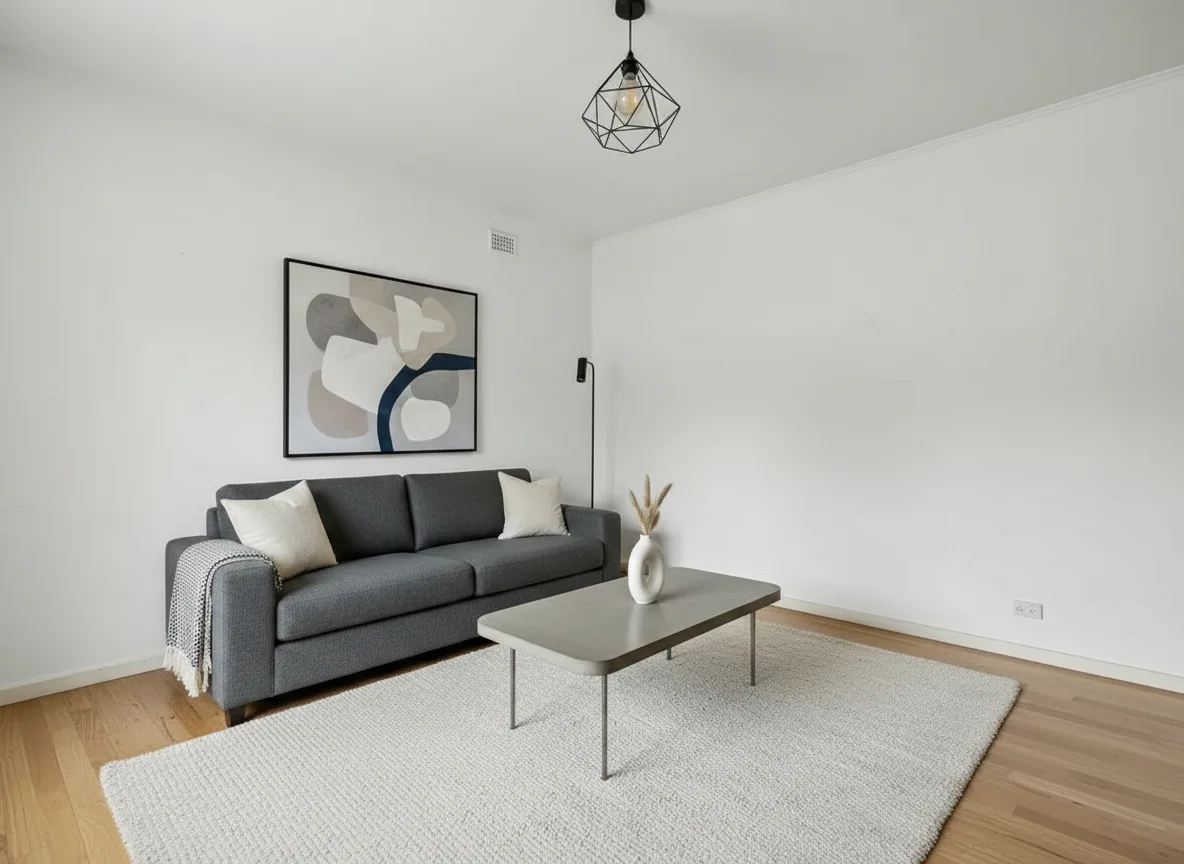
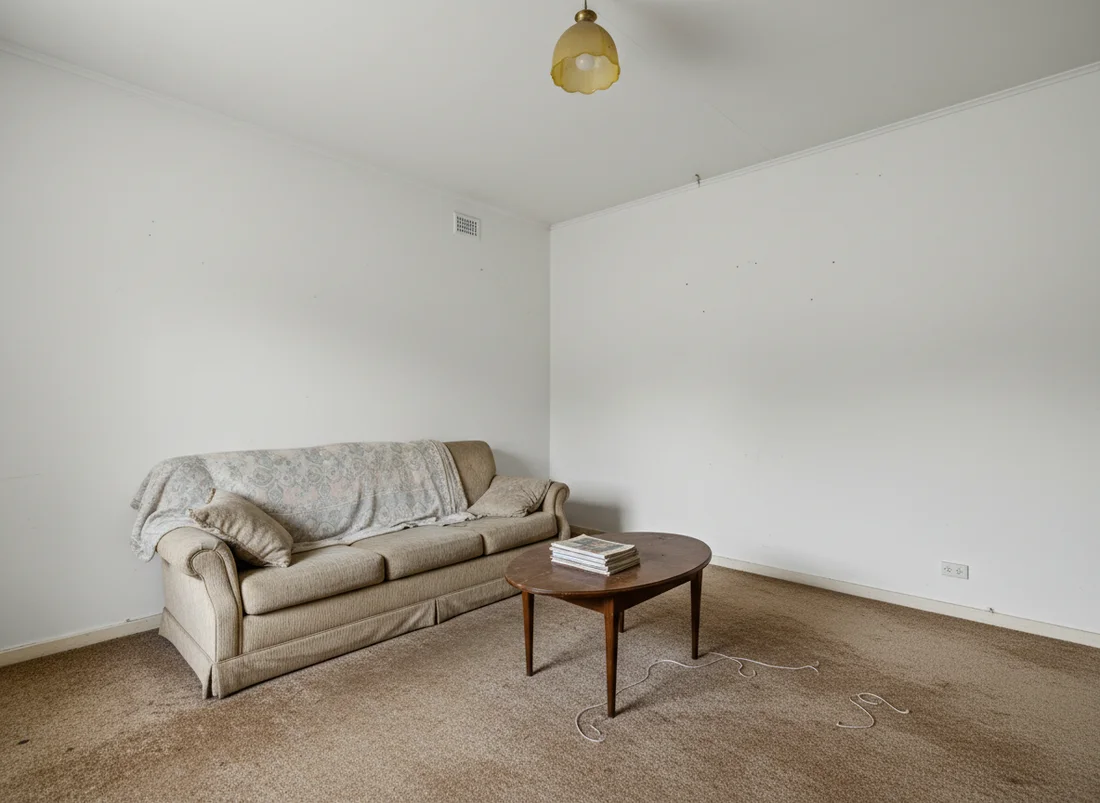 Before
restylai
Before
restylai
How it works
Upload one photo
Snap a wide shot of the room on your phone and upload it. Furnished or empty, daylight or lamplight, no staging or special angle required.
Choose or describe a style
Pick from 24 designer styles like Scandinavian, mid-century, or warm minimal, or type the look you want in your own words. You can also declutter, swap materials, or preview a renovation.
Get the redesign
In about ten seconds you get your room reimagined, with the same walls, windows and layout kept exactly as they are. Download it or run another style on the same photo.
It redesigns your real room, not a lookalike
Most room design tools generate a pretty picture that has nothing to do with your space. restylai works the other way around. It locks the structure of your photo, your wall positions, window placement, ceiling height and the proportions of the floor, then changes only the finishes, furniture and styling on top. The bay window you love stays a bay window, and the awkward radiator you have to plan around is still there in the result.
Keeping the bones honest is what makes the output useful instead of just nice to look at. When the perspective and light match your photo, you can actually judge whether a dark green wall will feel cosy or heavy in that exact room, or whether a low-slung sofa leaves enough walking space. This is the same structure-first idea behind our broader AI interior design tools, applied to a single room you already have.
Faster and cheaper than the usual routes
The old ways to see a room redesigned are slow or expensive. Hiring a designer for full renderings runs into hundreds or thousands of dollars and takes weeks of back and forth, and moving real furniture around to test an idea is a whole weekend you do not get back. A generic mood board, meanwhile, never shows your actual room, so you are left guessing how any of it translates.
restylai closes that gap. The first design is free and watermarked, paid plans start at $5 a month for clean HD and 4K downloads, and video walkthroughs come in from the $29 plan. You can test ten directions in the time it used to take to book one appointment, and if you want to see the price side of the comparison in detail, here is what an interior designer costs.
Who it is for
This helps anyone standing in a room wondering what it could be. If you just moved in and the blank walls feel intimidating, if you are stuck between two paint colors, if an empty spare room reads as small and cold, or if you are weighing a renovation before you commit money to it, seeing the finished look first takes the guesswork out.
You do not need a design background or any software skills, only a photo and an idea of what you are drawn to. If you are not sure yet, you can browse room design ideas by style to find a direction, then bring that style back to your own photo and see it land in your space.
Frequently asked questions
What is AI room design? +
AI room design uses software to redraw the interior of a room from a photo, changing the style, furniture and finishes while keeping the real room intact. With restylai you upload one picture of your space, choose a look, and get a redesigned version in about ten seconds. Your walls, windows and layout stay exactly where they are.
Is AI room design free? +
Your first design is free and comes with a watermark, no signup or card needed. To download clean HD and 4K versions without the watermark, paid plans start at $5 a month, and video walkthroughs are included from the $29 plan.
Does it keep my actual room, or make up a new one? +
It keeps your actual room. restylai locks the structure of your photo, meaning the wall positions, windows, ceiling and proportions, and only restyles what sits inside that frame. The result matches the perspective and light of your original photo, so it looks like your space redecorated rather than a different room entirely.
What can I do besides restyling in a new look? +
Beyond swapping styles, you can stage an empty room with furniture through our <a href="/virtual-staging">virtual staging</a>, declutter a busy space, swap materials like flooring or countertops, preview a renovation, and turn a floor plan into a 3D view. Pro and Studio plans also generate cinematic video walkthroughs of the redesigned space.
See it on your own room, free
Upload one photo and see the result on your real space. No signup for the first design.
Try it free