restylai blog
Edit a Room Photo by Describing the Change (AI That Obeys)
Updated July 10, 2026 · by the restylai team
Every AI room tool can give you a new look. The harder problem is the second step: you like the render, but the sofa should be blue, the bed belongs by the window, and honestly the room could use one more window. Most tools make you start over and hope. The better way is to describe the change in plain words and have exactly that change made, on the design you are looking at, with everything else left alone.
What "edit by describing" means
You type an instruction the way you would say it to a person: "make the walls sage green", "remove the TV and its cables", "add a window on the back wall", "move the bed under the window". The model applies the instruction to your photo as a precise edit. Whatever you did not mention (the furniture, the materials, the layout, the camera angle) stays exactly as it was. The result reads as the same photograph with only the requested change made.
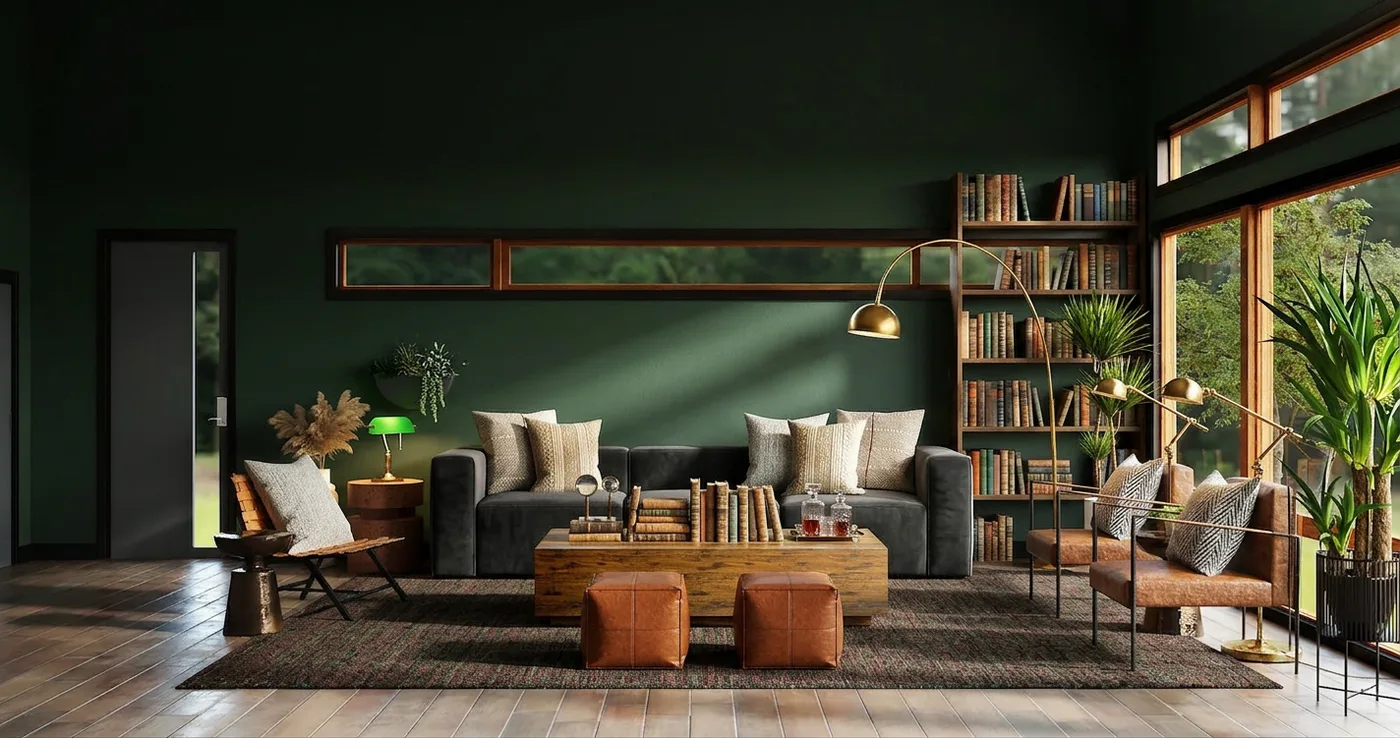
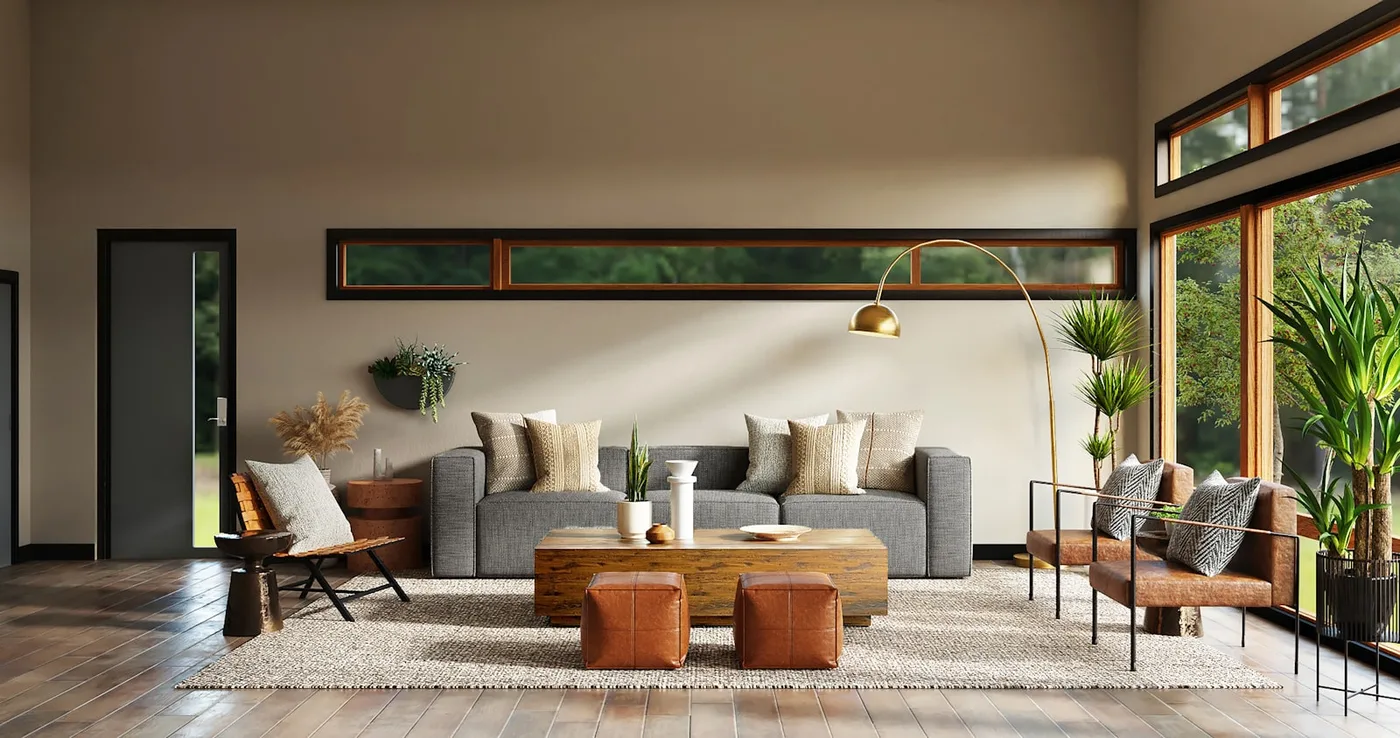 Before
From words
Before
From words
Two different jobs: a style, or a change
Tools that take text at all usually blur two very different requests, which is why "custom prompts" got a bad reputation. On restylai they are separate modes:
- Your own style. You describe a whole look ("warm Parisian apartment, herringbone floor, brass accents") and the room is redesigned in that direction, architecture kept. This is a style that does not exist in any preset list.
- Change anything. You give instructions, and they are obeyed literally: add, remove, move, recolor or change whatever you name, including architectural changes like a new window or a widened opening, when you ask for them. Nothing else is touched.
The distinction matters because intent matters. "Grunge gothic bedroom" is a style. "The headboard should be on the left wall" is a command. A tool that treats commands as style inspiration will redesign your whole room when you asked it to move one piece of furniture.
Refine the design you like, not your original photo
The part that makes word editing genuinely useful is iteration. On restylai, every instruction applies to the render you are looking at. Restyle your living room in Japandi, then say "swap the rug for a darker one": the Japandi design keeps everything and swaps the rug. Then "add a floor lamp by the reading chair": same design, one more change. You walk toward the room you want in small, controlled steps instead of re-rolling and praying. When you would rather go back to your original photo, that is one tap too.
What to write for the best results
- Name the thing and the change. "The sofa: deep green velvet" beats "make it cozier". Concrete nouns, concrete outcomes.
- One or two changes per step. The edit-then-edit-again loop exists so you do not need a paragraph. Small steps stay precise.
- Say where, when it matters. "Add a window on the wall behind the bed" lands better than "add a window".
- Architecture is allowed, just ask. Windows, doors, openings and walls change only when your words request it. Unmentioned structure never drifts.
Try it on your own room
Upload a photo on the restylai homepage, free with no signup, pick "Change anything" or describe your own style, and judge the result on your actual room. Clean HD downloads and unlimited refinement live in the studio, with plans from $5 a month.
Related reading: how AI room design from a photo works, changing floors and materials with AI, and copying a room style you found online.
Frequently asked questions
Can AI edit a room photo from a text instruction? +
Yes. On restylai the Change anything mode treats your words as instructions: add, remove, move, recolor or change whatever you name, including architectural changes like a new window when you ask. Everything you do not mention stays exactly as photographed.
What is the difference between a custom style and an edit? +
A custom style describes a whole look ("warm Parisian apartment") and redesigns the room in that direction. An edit is a command ("move the bed under the window") that changes only what it names. restylai runs them as separate modes so commands are obeyed literally instead of being reinterpreted as decoration.
Can I refine an AI room design step by step? +
Yes, and it is the whole point. Every instruction applies to the render you are looking at, so you can restyle first, then swap the rug, then add a lamp, one small change at a time. Going back to your original photo is one tap.
Will the AI change my walls or windows without being asked? +
No. Architecture changes only when your instruction explicitly requests it. Unmentioned walls, windows, doors, furniture and the camera angle are kept identical to the source photo.
See your own room redesigned, free
Upload one photo and watch your room in any of 24 designer styles. Your walls and layout stay exactly as they are.
Try it free, no signupOne photo. About ten seconds. Your room, your layout.