restylai blog
AI Room Design From a Photo: How It Works (Try It Free)
Updated July 10, 2026 · by the restylai team
Not long ago, seeing your room in a new style meant hiring a designer, learning 3D software, or imagining it and hoping. Now you upload one photo and get a photorealistic redesign of your actual room in seconds. Here is how AI room design from a photo works, what it can and cannot do, and how to get a great result on the first try.
What "AI room design from a photo" actually means
You give the tool a single photo of a real room. An image model rebuilds that photo in the interior style you choose, changing the furniture, materials, colors, textiles and lighting, while keeping the architecture in place. The output is a new image of your room, not a stock photo of a similar one.
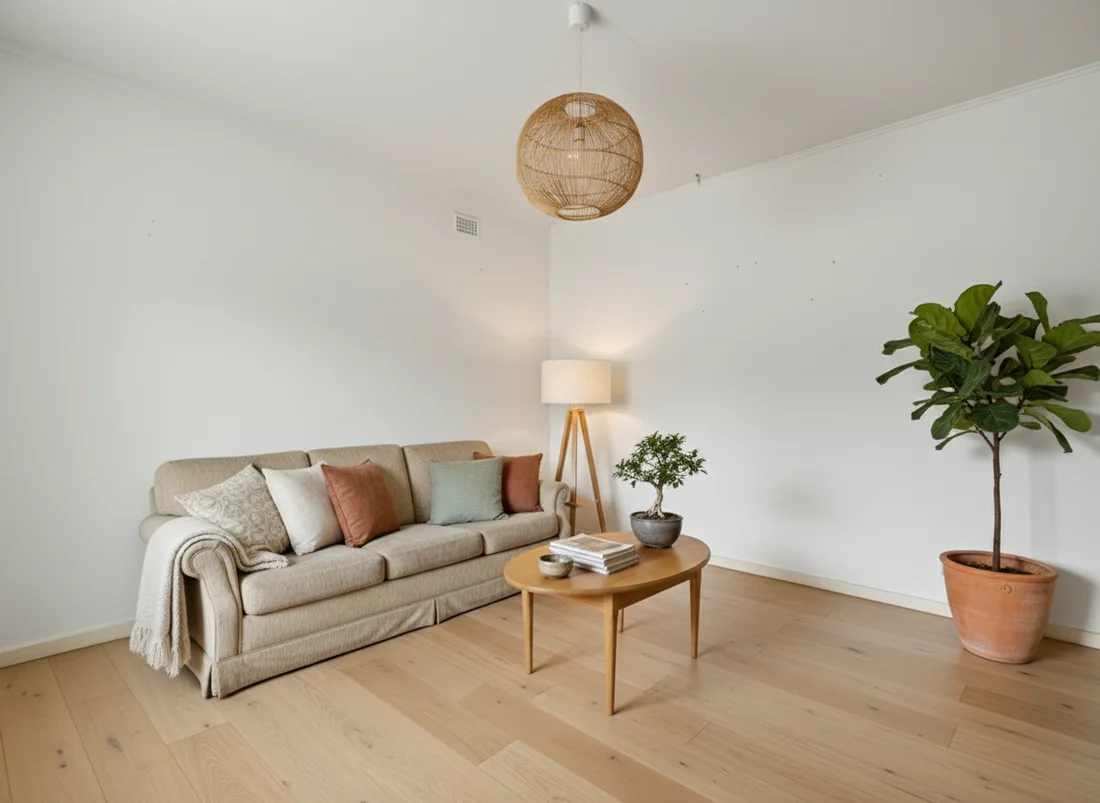
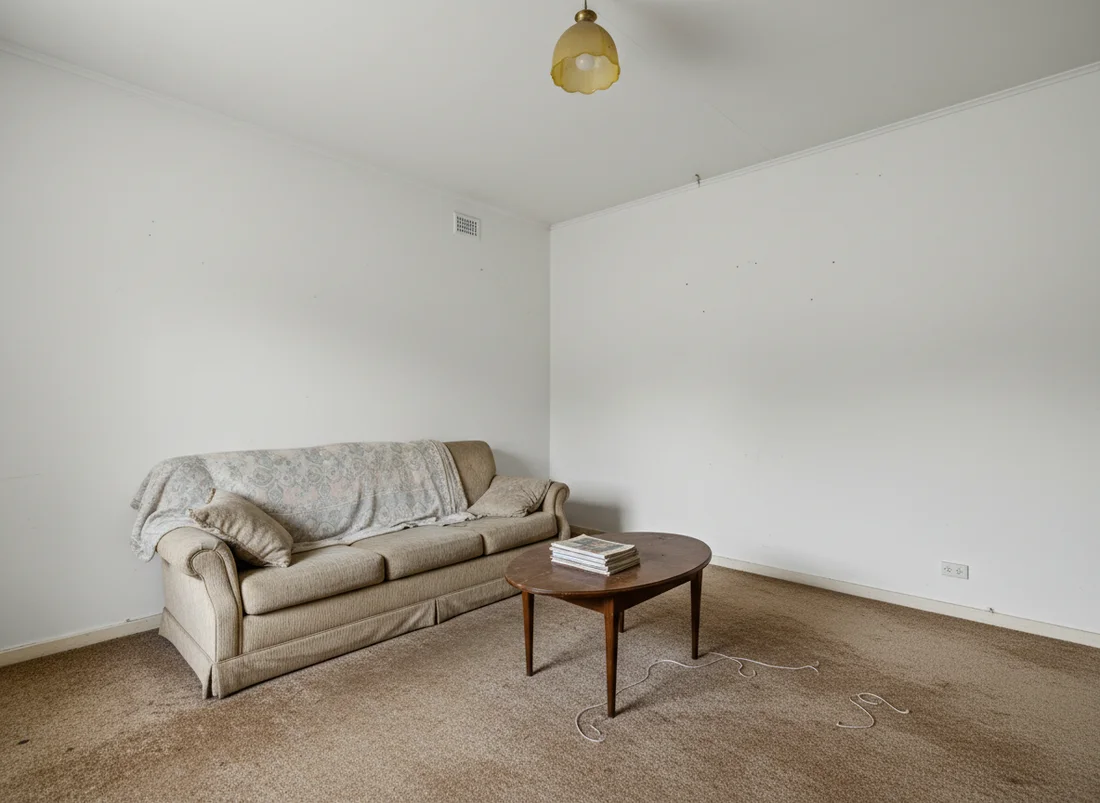 Before
After
Before
After
How it works, step by step
- You upload a photo. One wide shot of the room is enough.
- You pick a style, or describe your own. Scandinavian, Japandi, Art Deco, coastal, and so on, or your own words ("warm Parisian apartment, herringbone floor, brass accents"). Curated styles are tuned prompts; your words work the same way.
- The model re-renders the image. It reads the room's geometry from the photo and paints a new version that keeps the structure and replaces the contents.
- You get a photorealistic result in about ten seconds. Then you refine it: try another style, or describe a change in words ("the sofa in green", "add a floor lamp"). Each step applies to the design you are looking at, so you walk toward the room you want instead of re-rolling and hoping.
Will it keep my room's layout?
With a good photo-to-photo tool, yes. The whole point is that walls, windows, doors and proportions stay put, so the render is a believable version of the room you actually have. restylai is built specifically to preserve structure: it changes the decor, not the bones of the room. Tools that generate a fresh scene from scratch will drift from your real space, which is why photo-preserving models matter for this use case.
What makes a good input photo
- Go wide. Capture the whole room, including the floor and at least two walls, so the model understands the space.
- Shoot in daylight. Even, natural light gives the cleanest read. Avoid harsh single lamps and heavy shadow.
- Chest height, from a corner. A level shot from a room corner shows the most usable geometry.
- Skip filters and extreme angles. No fisheye, no heavy color grading. The truer the input, the truer the redesign.
Is there a free AI room design app?
Yes. restylai lets you upload a photo on the homepage and see your room redesigned in any style for free, watermarked, with no signup. Paid plans from $5 a month add clean HD and 4K downloads and cinematic video walkthroughs of the redesigned room. That free-first approach exists so you can prove it works on your own room before paying, which is also why it is a genuinely cheaper first step than the options in our interior designer cost guide.
Where AI room design is most useful
- Before you buy furniture: settle on a direction so you do not waste money on the wrong sofa.
- Selling or renting: stage empty or dated rooms for listings (see the virtual staging cost guide).
- Airbnb hosts: test which look photographs best before committing, covered in our Airbnb interior design guide.
- Just curious: see your own place in a style you have been eyeing, in seconds.
What it will not do
AI room design shows you a look. It will change architecture only when you explicitly ask (the edit mode can add a window or widen an opening on request, and otherwise never touches your structure), and it does not order the furniture, quote the renovation or guarantee a specific product exists. Treat the render as a high-fidelity preview: it answers "what would this look like in my room?" brilliantly, and leaves the buying and building to you. For the buying half, you can at least place a real product photo into your room before ordering it.
Ready to see it? Upload a photo and try it free. It takes about ten seconds and no account.
Frequently asked questions
Can AI redesign a room from just one photo? +
Yes. Modern image models take a single photo of your room and re-render it in a chosen interior style while keeping the walls, windows and layout in place. You get a photorealistic image of your actual room, not a generic lookalike.
Is there a free AI room design app? +
restylai lets you upload a photo and see your room redesigned in any of its styles for free, right on the homepage, no signup needed. Paid plans from $5 a month unlock clean HD and 4K downloads and video walkthroughs.
Will the AI change my room layout? +
A good photo-to-photo redesign keeps your architecture fixed: walls, windows, doors and proportions stay where they are. Only the furniture, materials, colors and decor change, so the result still looks like your room.
What photo works best for AI room design? +
A single wide shot of the room in decent daylight, taken from a corner at roughly chest height, works best. Avoid extreme close-ups and heavy filters, and include the floor and at least two walls so the AI understands the space.
See your own room redesigned, free
Upload one photo and watch your room in any of 24 designer styles. Your walls and layout stay exactly as they are.
Try it free, no signupOne photo. About ten seconds. Your room, your layout.