restylai blog
Fix Your Listing Photos with AI: Relight, Declutter, Erase
Updated July 10, 2026 · by the restylai team
Most listings do not need better rooms, they need better photos of the rooms they have. The three photo problems that cost the most clicks are dull light, personal clutter, and that one object that should never have been in frame. All three are now fixable from the photo alone, in seconds, without a reshoot.
Fix one: dull light becomes golden hour
Light is the single biggest difference between a photo that gets clicked and one that gets scrolled past, and most listing photos are shot at whatever hour the photographer could come. An AI relight renders the same room at golden hour: warm low sun, soft long shadows, glowing windows. The room, furniture and architecture stay exactly as photographed; only the light changes.
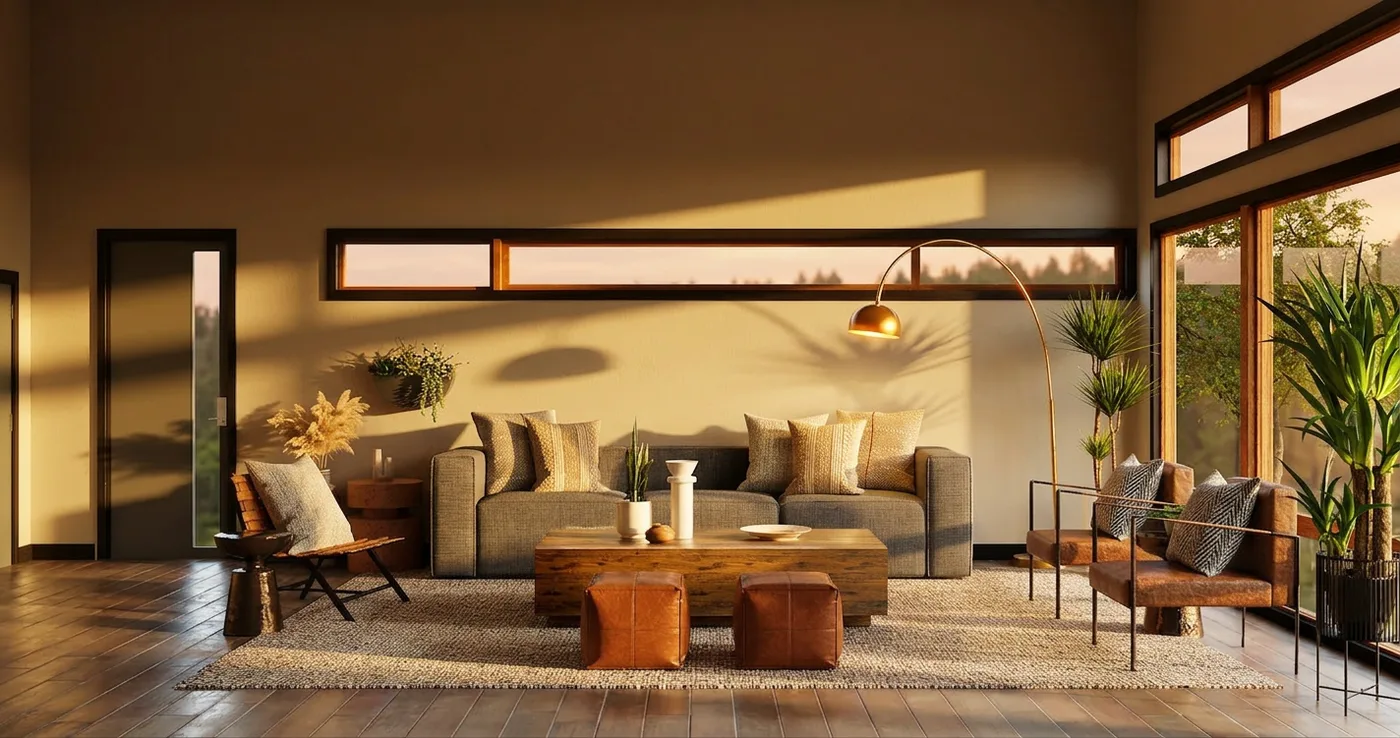
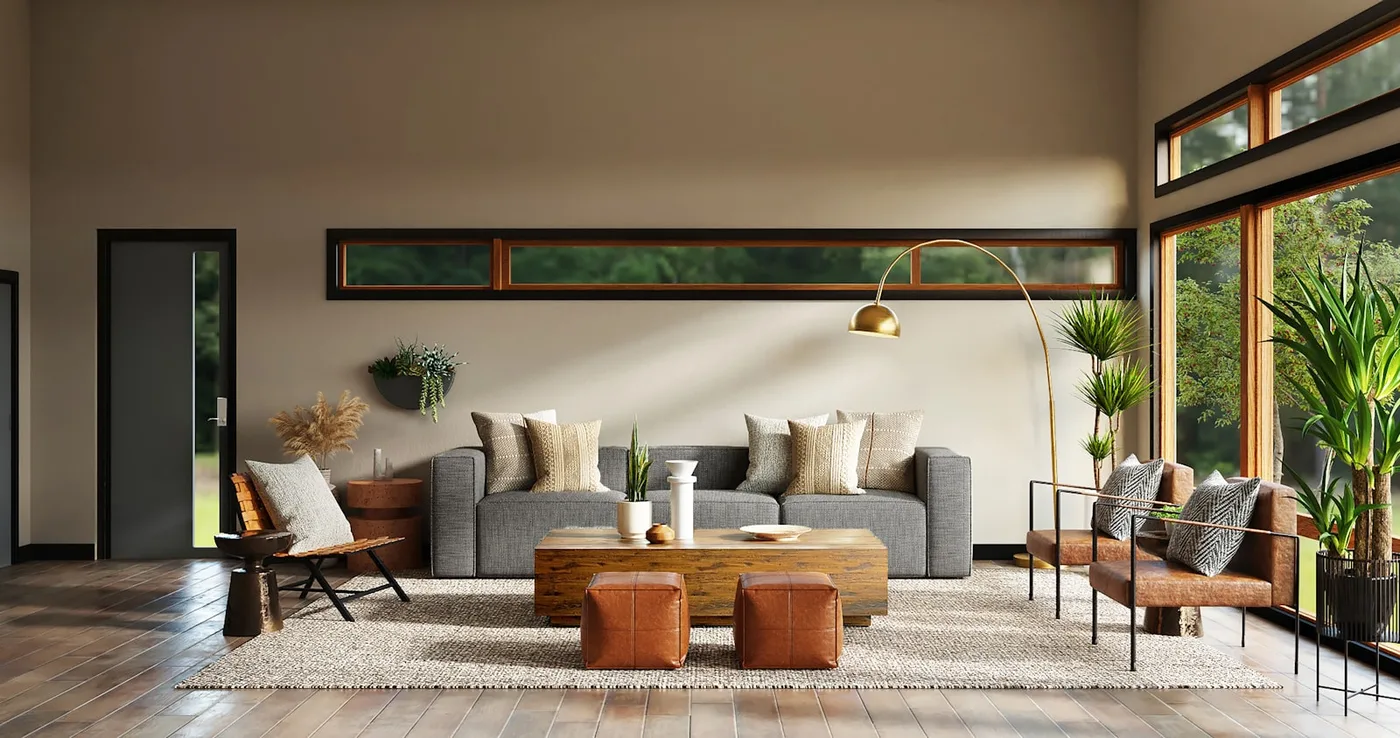 As shot
Golden hour
As shot
Golden hour
Fix two: the lived-in room becomes a clean one
Sellers still live in the home, and buyers cannot see past someone else's life. Decluttering the photo (not the house) strips the personal noise while keeping the real furniture and finishes, which we cover in depth in removing furniture from photos. For an empty listing the job runs the other way: virtual staging furnishes it.
Fix three: erase the one wrong thing
The trash bins in the driveway shot, the cables under the TV, the bold artwork that dominates every photo of the living room. An erase instruction ("remove the TV and its cables") takes out exactly what you name and rebuilds what was behind it, leaving the rest of the photo untouched. It is the surgical version of decluttering.
A photo-fixing workflow that takes minutes
- Pick your money shots: the cover photo and the two or three rooms that sell the home.
- Fix in order of impact: declutter or erase first, then relight. Each fix applies to the photo you are looking at, so they stack cleanly on restylai.
- Keep the before photos. You will want them for disclosure and your own records.
- Download clean HD versions for the portal upload (plans from $5 a month; the first render is free to judge the quality).
The honesty rules
Photo enhancement sells the home; deception unsells it at the viewing, or worse, after. The line is simple: fixing light and removing your own belongings presents the real home well; removing defects, damage or permanent features misrepresents it. Disclose digitally altered photos where your MLS or portal requires it (most do), and never edit away something a buyer would expect to still be there.
Start with your worst photo
Upload it on the restylai homepage, free with no signup, and apply the fix it needs. If the ten-second version beats what you are currently showing buyers, the rest of the listing is a few minutes' work. For the bigger guns, see AI video walkthroughs and the virtual staging cost guide.
Frequently asked questions
Can AI improve the lighting in a listing photo? +
Yes. A golden hour relight renders the same room in warm low sun with soft shadows and glowing windows, while the room, furniture and architecture stay exactly as photographed. Light is the biggest single difference between clicked and skipped listings.
Can I remove objects from a listing photo? +
Yes. An erase instruction like "remove the TV and its cables" takes out exactly what you name and rebuilds what was behind it. For whole-room clutter, decluttering strips the personal noise while keeping the real furniture and finishes.
Is it legal to edit listing photos with AI? +
Enhancing light and removing your own belongings presents the real home well. Removing defects, damage or permanent features misrepresents it. Disclose digitally altered photos where your MLS or portal requires it, which most do.
What does AI listing photo editing cost? +
On restylai the first render is free with no signup to judge the quality, and plans with clean HD downloads start at $5 a month, against roughly $10 to $30 per photo for manual editing services.
See your own room redesigned, free
Upload one photo and watch your room in any of 24 designer styles. Your walls and layout stay exactly as they are.
Try it free, no signupOne photo. About ten seconds. Your room, your layout.